

Building a website with WordPress has never been easier, thanks to the rise of powerful tools like the Gutenberg WordPress editor and advanced WordPress page builder plugins. These tools allow users—from beginners to professionals—to design, edit, and customize websites without needing to write code (Most of these tools use a drag-and-drop interface, similar to creating a presentation).
However, with so many options available, choosing the right builder can be confusing. Should you use the default Gutenberg editor, or opt for a more feature-rich page builder like Avada or Divi? This decision often comes down to a key trade-off: performance vs flexibility.
On one hand, Gutenberg offers a lightweight and fast editing experience built directly into WordPress. On the other hand, page builders provide greater design freedom and advanced features—but sometimes at the cost of speed and performance.
In this guide, we’ll break down the differences between Gutenberg and other WordPress builders to help you decide which solution is best for your website.
What is Gutenberg in WordPress?
The Gutenberg WordPress editor is the default content editor introduced in WordPress 5.0. It replaced the classic editor with a modern, block-based editing experience designed to make content creation more flexible and intuitive.
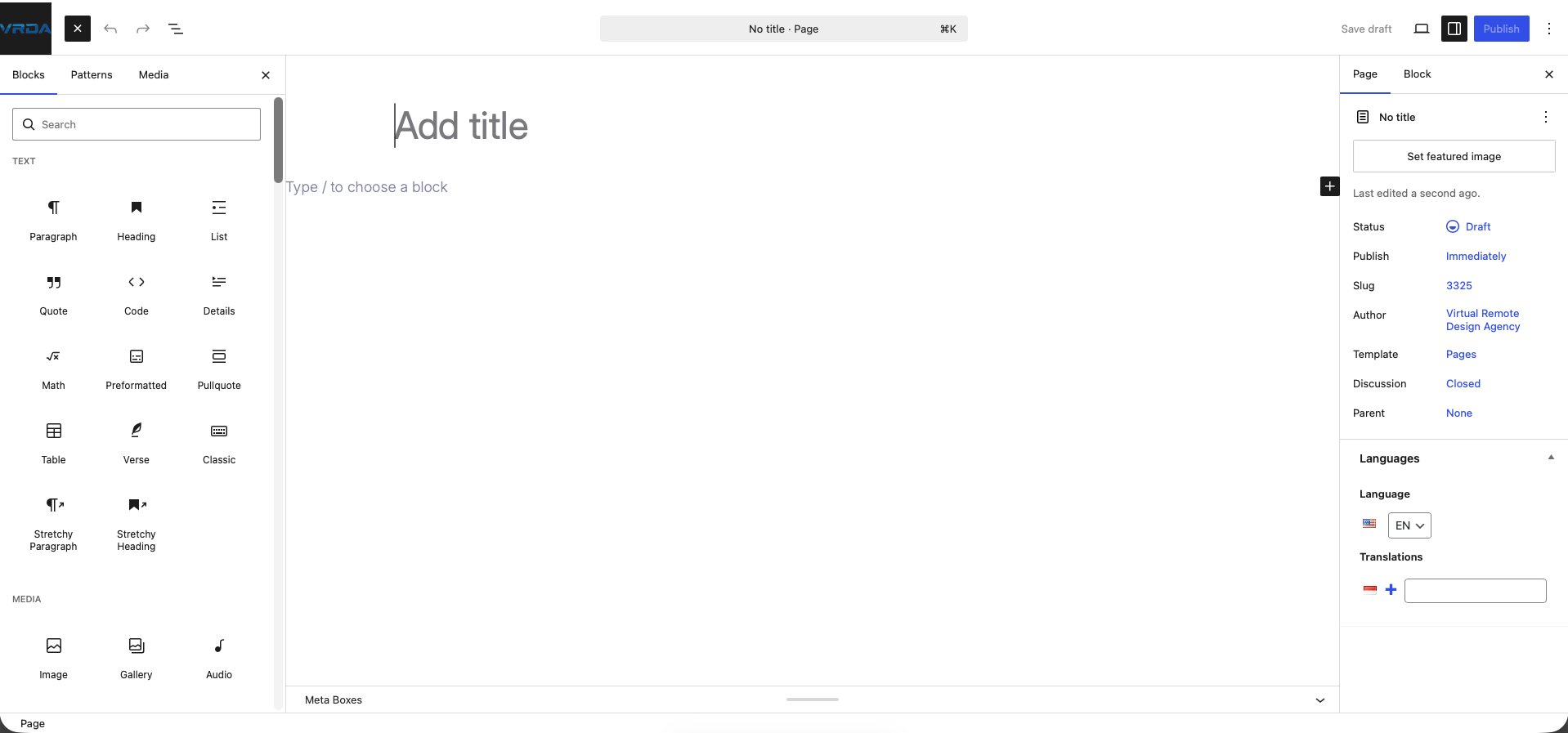
Instead of using a single text area like the old editor, Gutenberg allows you to build pages and posts using individual blocks. Each block represents a specific element, such as a paragraph, image, heading, button, or even more advanced components like columns and galleries. This block-based approach gives users more control over layout and structure without needing coding skills.
One of the biggest advantages of the Gutenberg WordPress editor is that it is built directly into WordPress, meaning you don’t need to install any additional plugins to start using it. Because it’s a native feature, it is generally more lightweight and optimized for performance compared to many third-party page builders.
Advantages of Gutenberg
- Lightweight and fast: Since it’s part of WordPress core, it doesn’t add unnecessary bloat to your website.
- Native integration: Works seamlessly with most themes and plugins.
- Improved editing experience: The block system makes it easier to create structured and visually appealing content.
Disadvantages of Gutenberg
- Limited design flexibility: Compared to advanced WordPress page builder tools, customization options can feel restricted.
- Responsiveness: At the time of writing, Gutenberg has limited built-in responsive controls, which means we cannot adjust elements for each display.
- Learning curve for beginners: Users familiar with the classic editor may need time to adapt to the block system.
Overall, the Gutenberg WordPress editor is a solid choice for users who prioritize speed, simplicity, and a clean editing experience, especially for blogs and content-focused websites.
What is a WordPress Page Builder?
A WordPress page builder is a tool or plugin that allows users to design and customize website pages using a visual, drag-and-drop interface—without needing any coding knowledge. Unlike the default editor, page builders provide a more advanced and flexible way to create complex layouts and visually rich designs.
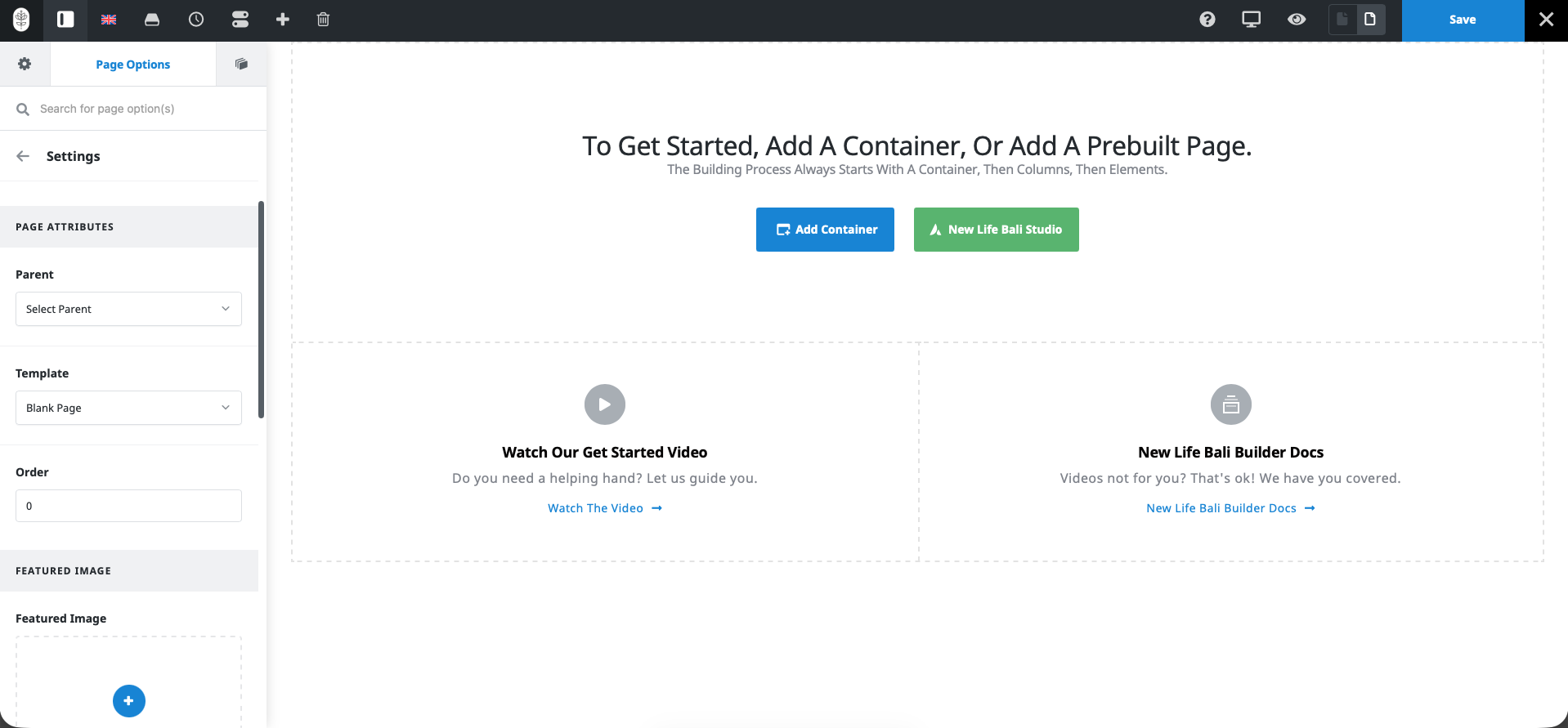
With a WordPress page builder, you can simply drag elements such as text, images, buttons, forms, and sections onto the page and arrange them exactly how you want. This real-time visual editing experience makes it especially popular among beginners, designers, and business owners who want full control over their website’s appearance.
One of the key benefits of using a WordPress page builder is the ability to create highly customized layouts. Many builders come with pre-designed templates, responsive controls, and advanced styling options, allowing you to build professional-looking websites quickly.
How WordPress Page Builders Work
- Drag-and-drop interface: Easily move elements around the page visually
- Frontend editing: See changes in real time as you design
- Pre-built templates: Start with ready-made layouts and customize them
- Advanced design controls: Adjust spacing, colors, typography, and animations
Popular WordPress Page Builders
Some of the most widely used WordPress page builder plugins include:
- Avada – Known for its user-friendly interface and powerful design features
- WPBakery Page Builder – A long-established builder often bundled with premium themes
- Divi Builder – Offers both a theme and a builder with advanced visual editing capabilities
Advantages of WordPress Page Builders
- Highly flexible design options
- Beginner-friendly interface
- No coding required
Disadvantages of WordPress Page Builders
- Can slow down your website due to extra code and scripts
- May require a paid version for full features
- Potential compatibility issues with some themes or plugins
In summary, a WordPress page builder is an excellent choice if you want full design freedom and an easy-to-use interface, especially for landing pages, business websites, or visually complex projects.
Gutenberg vs WordPress Page Builders
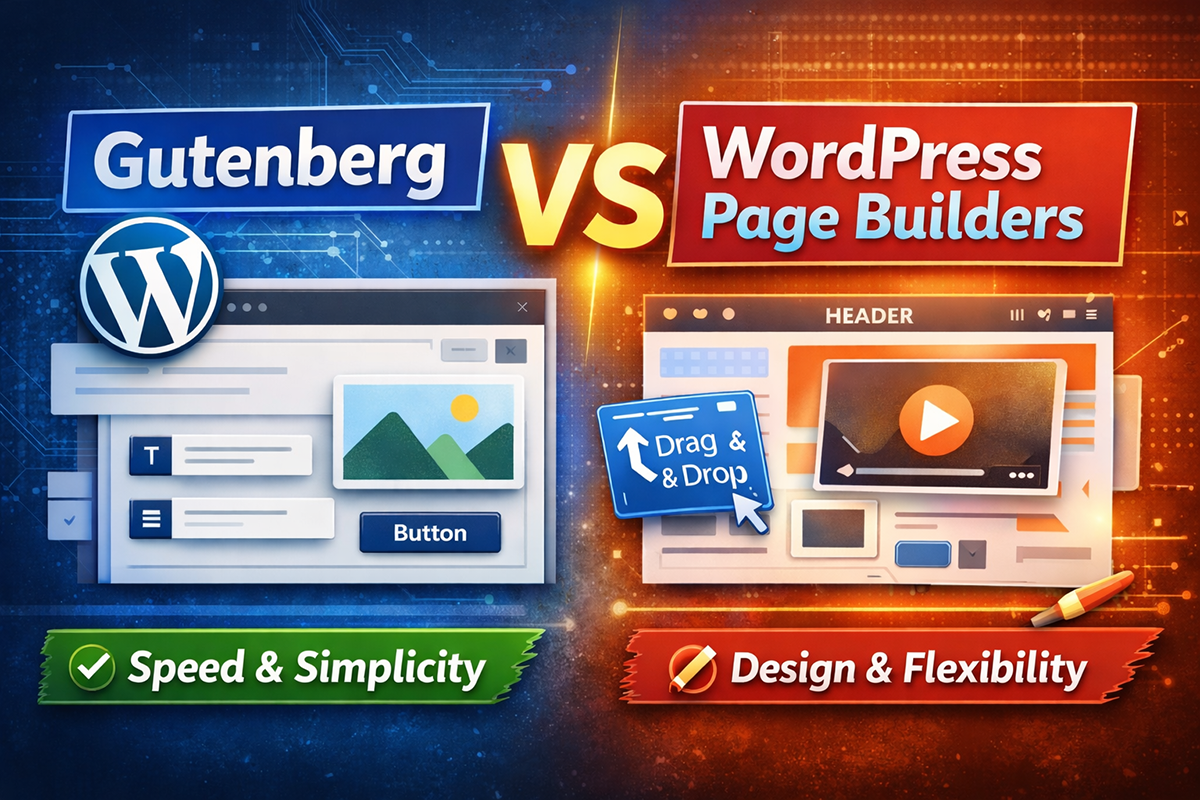
When choosing between the Gutenberg WordPress editor and a WordPress page builder, it’s important to understand how they differ in terms of performance, usability, and design flexibility. Both tools serve similar purposes, but they are built with different priorities in mind.
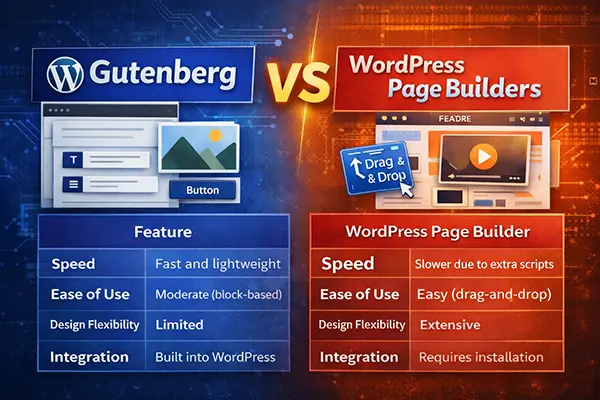
Gutenberg focuses on simplicity, speed, and native integration, while most WordPress page builders prioritize advanced design capabilities and ease of use through visual editing.
Here’s a quick comparison to help you understand the key differences:
| Feature | Gutenberg (WordPress) | WordPress Page Builder |
|---|---|---|
| Speed | Fast and lightweight | Slower due to extra scripts |
| Ease of Use | Moderate (block-based) | Easy (drag-and-drop) |
| Design | Limited customization | Advanced and highly flexible |
| Cost | Free (built-in) | Often requires paid plans |
Key Differences Explained
1. Performance and Speed
Gutenberg is built into WordPress core, making it more lightweight and optimized for performance. In contrast, most WordPress page builders add extra CSS and JavaScript, which can slow down your website if not optimized properly.
2. Ease of Use
While Gutenberg uses a block-based system that may require some adjustment, WordPress page builders offer a more intuitive drag-and-drop interface. This makes page builders especially appealing for beginners.
3. Design Flexibility
This is where WordPress page builders shine. They offer advanced layout controls, animations, and styling options. Gutenberg, while improving, still has more limited design capabilities unless extended with additional plugins.
4. Cost Consideration
Gutenberg is completely free and comes pre-installed with WordPress. On the other hand, many WordPress page builders offer basic free versions but require paid upgrades to unlock full features.
Which One Should You Choose?
- Choose Gutenberg WordPress if you want a fast, simple, and SEO-friendly website.
- Choose a WordPress page builder if you need advanced design features and full creative control.
Ultimately, the best choice depends on your website goals—whether you prioritize performance or design flexibility.
The Alternative: Extending Gutenberg with Block Plugins
Despite its advantages, Gutenberg still has some limitations—especially when it comes to design flexibility. While the block-based system makes it easy to structure content, it often falls short in delivering more advanced layout and styling options. For example, creating complex page designs, custom sections, or highly visual layouts can be challenging without additional tools.
To overcome the design limitations of the Gutenberg WordPress editor, many users turn to block plugins—a powerful solution that enhances Gutenberg without replacing it.
Block plugins are essentially add-ons designed to extend the functionality of Gutenberg. Instead of installing a completely separate WordPress page builder, you can simply add new features directly into the existing block editor.
These plugins expand Gutenberg by introducing:
- New blocks for advanced elements such as testimonials, pricing tables, and call-to-action sections
- Flexible layout systems including grids, rows, and responsive columns
- Advanced styling options like custom spacing, typography controls, animations, and hover effects
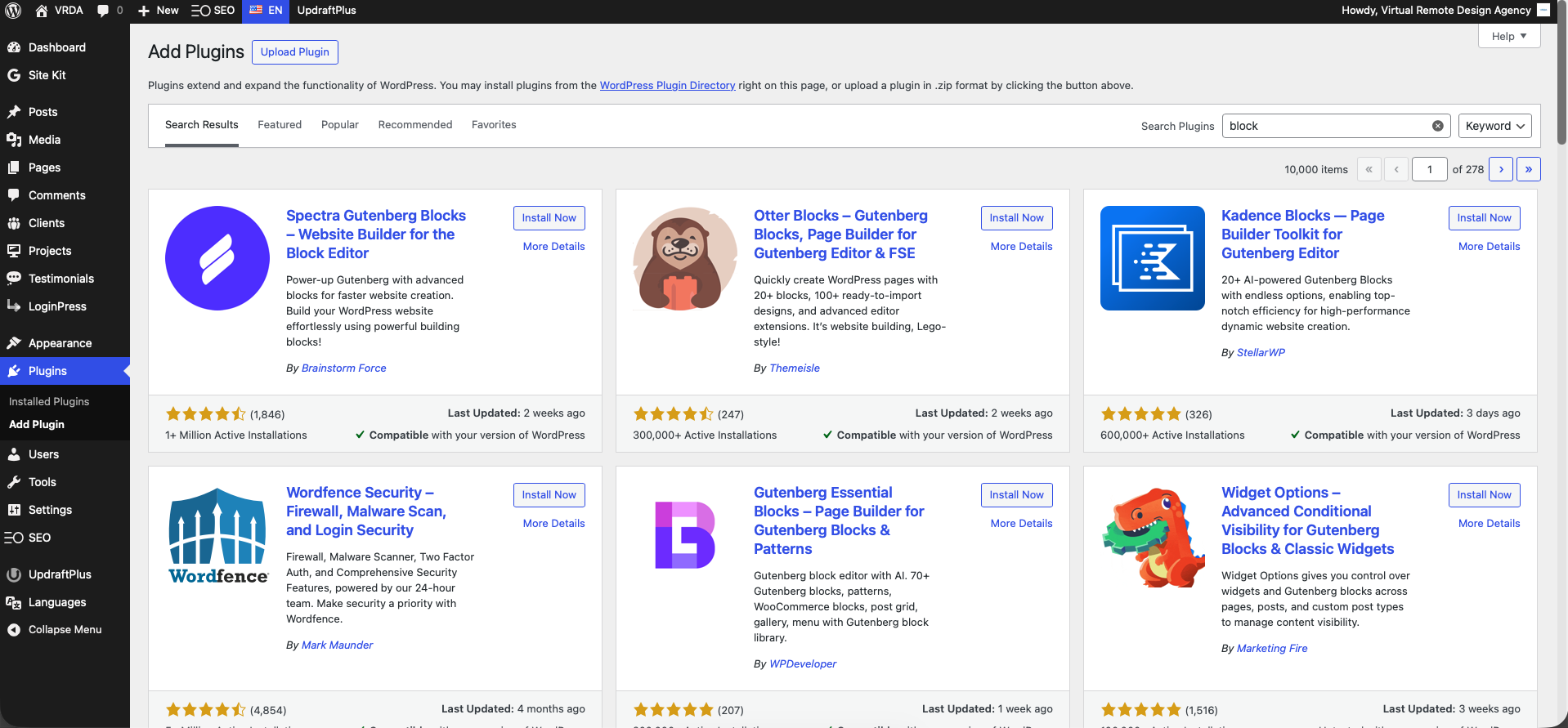
Unlike traditional page builders, block plugins work within Gutenberg rather than replacing it. This means you can maintain the editor’s lightweight performance while gaining more control over your website’s design.
In many cases, this approach offers the best of both worlds: performance and flexibility. You get the speed and clean code of Gutenberg, combined with the design capabilities typically found in a WordPress site builder or page builder.
For users who want to avoid heavy plugins but still need more creative freedom, block plugins provide a smart and efficient alternative.
Popular Gutenberg Block Plugins
To unlock more design flexibility in the Gutenberg WordPress editor, several block plugins have become popular among users. These plugins extend Gutenberg with powerful features while maintaining performance and simplicity.
Here are some of the most widely used Gutenberg block plugins:
- Kadence Blocks
A lightweight yet powerful plugin that adds advanced layout controls, responsive design options, and pre-built sections. It’s a great choice for users who want flexibility without sacrificing speed. - Spectra
Formerly known as Ultimate Addons for Gutenberg, Spectra offers a wide range of creative blocks, templates, and customization features, making it ideal for building visually rich websites. - GenerateBlocks
Known for its performance-focused approach, GenerateBlocks provides essential layout and design blocks with minimal impact on page speed—perfect for SEO-driven websites. - Stackable
A feature-rich plugin that includes a large collection of customizable blocks, animations, and UI kits to help you build professional-looking pages quickly.
These block plugins allow you to significantly enhance Gutenberg’s capabilities without relying on a full WordPress page builder, making them an excellent solution for users who want both performance and design flexibility.
Conclusion
Choosing between the Gutenberg WordPress editor and a WordPress page builder ultimately comes down to your website goals and priorities.
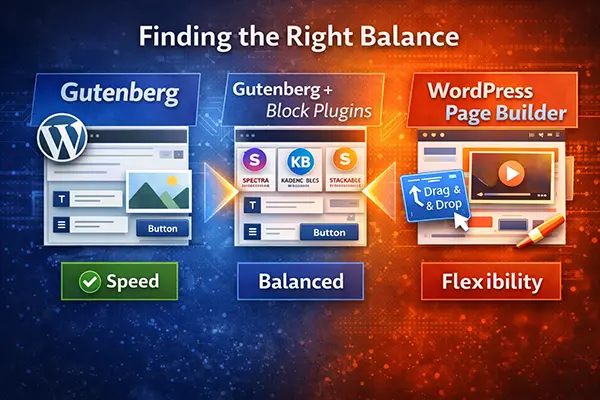
If you value speed, simplicity, and clean performance, Gutenberg is a strong choice. It’s lightweight, built into WordPress, and ideal for content-driven websites such as blogs or SEO-focused platforms. However, as discussed earlier, its design flexibility can be limited when compared to more advanced tools.
On the other hand, a WordPress page builder offers powerful design capabilities, intuitive drag-and-drop editing, and greater creative freedom. This makes it perfect for landing pages, business websites, and visually complex projects—but often at the cost of performance.
Fortunately, there is a middle-ground solution. By extending Gutenberg with block plugins, you can significantly improve its design flexibility without sacrificing speed. This approach allows you to combine the performance benefits of Gutenberg with many of the advanced features typically found in a WordPress site builder.
In the end, there is no one-size-fits-all answer.
- Choose Gutenberg if you want a fast and efficient website
- Choose a page builder if you need full design control
- Or use Gutenberg with block plugins for a balanced, modern solution
By understanding these options, you can confidently choose the best tool to build a high-performing and visually appealing WordPress website.
FAQ (Frequently Asked Questions)
What is Gutenberg in WordPress?
The Gutenberg WordPress editor is the default block-based editor introduced in WordPress 5.0. It allows users to create content using individual blocks such as text, images, buttons, and layouts, making it easier to design pages without coding.
Is Gutenberg better than a WordPress page builder?
It depends on your needs. Gutenberg is better for performance, speed, and simplicity, while a WordPress page builderoffers more advanced design features and flexibility. If you need a balance between both, you can extend Gutenberg using block plugins.
Do I need a WordPress page builder if I use Gutenberg?
Not necessarily. Gutenberg is powerful enough for many websites, especially blogs and content-focused sites. However, if you need more advanced layouts or visual effects, you may either use a WordPress page builder or enhance Gutenberg with additional block plugins.
What are block plugins in Gutenberg?
Block plugins are add-ons that extend the functionality of the Gutenberg WordPress editor. They provide additional blocks, layout options, and styling features, allowing you to create more advanced designs without switching to a full page builder.
Which WordPress builder is best for SEO?
Gutenberg is generally considered the best option for WordPress website SEO because it produces cleaner code and faster loading times. However, a well-optimized WordPress page builder can also perform well if used carefully. Combining Gutenberg with lightweight block plugins is often the best approach for both performance and flexibility.
Can Gutenberg replace WordPress page builders?
For many users, yes. With the help of block plugins, Gutenberg can handle most design needs without requiring a full WordPress page builder. However, for highly complex or design-heavy websites, page builders may still be the better option.