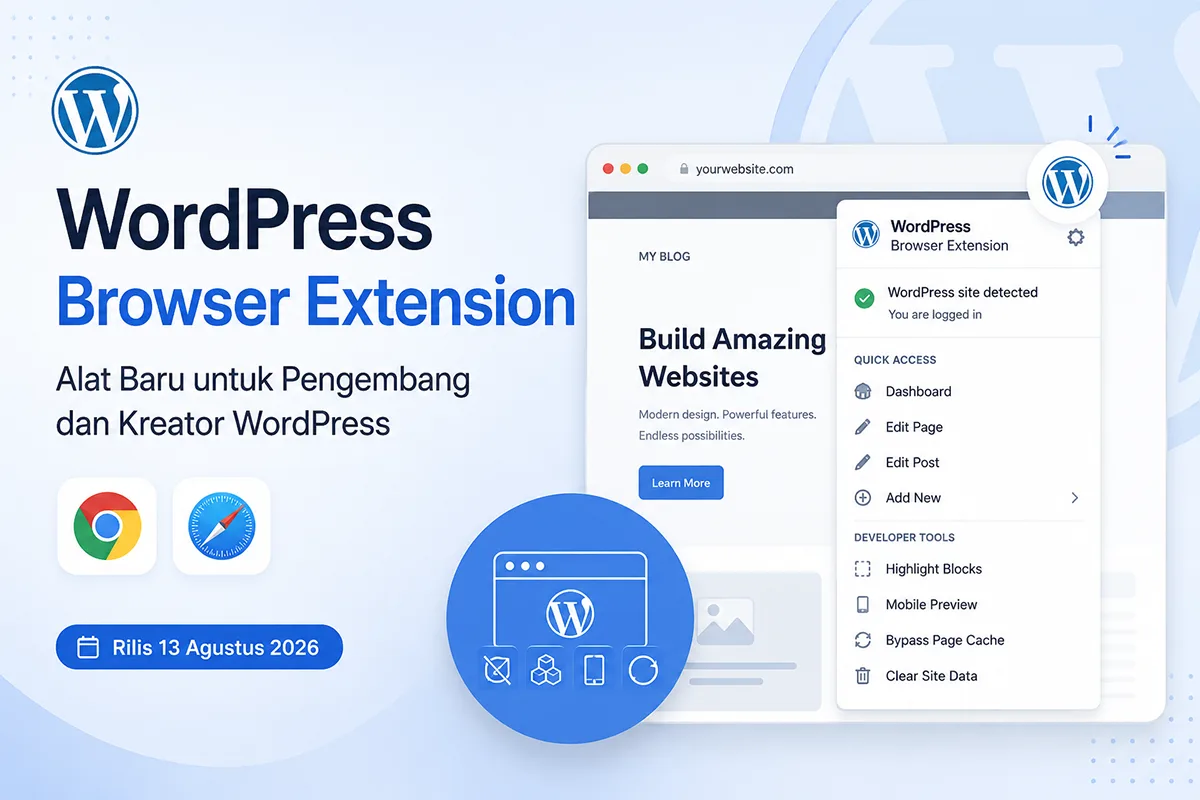


On August 13, WordPress officially released the WordPress Browser Extension for Safari and Chrome. For those unfamiliar with extensions, this tool is a program used to add features or modify how a browser functions.
In general, this extension helps users logged into a WordPress site hide the admin bar while keeping important shortcuts visible in the browser toolbar. It is designed to make it easier for developers and creators to access WordPress features.
Problem Identification
Before this extension, admin bar appeared at the top of the website whenever a user was logged into their WordPress site. While this layout offers convenience, it has a drawback: the admin bar reduces the available viewport height. A common issue arises with websites that feature a sticky header; when a user scrolls down, the top of the sticky header gets obscured by the admin bar. Naturally, this compromises the user experience.
Additionally, the admin bar can become excessively long if a user installs too many plugins. This is because many plugins place their features in the admin bar to provide quicker access.
Why Release an Extension Instead of a Plugin?
Certain WordPress browser extension features—such as block detection, opening mobile previews, reloading pages with cache busting, and clearing cookies and local storage—are easier to develop as extensions rather than plugins. Additionally, users do not need to install a plugin on every website they manage simply to log in across different sites.
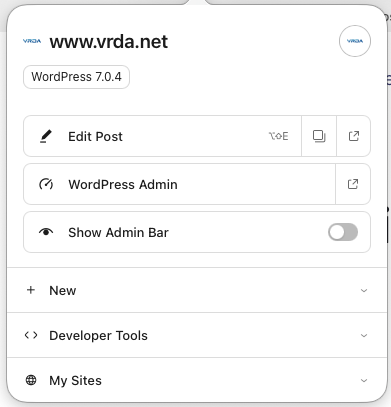
Features in WordPress Browser Extension
Here are the features available in the WordPress Browser Extension:
- Hide Admin Bar
By default, the WordPress Browser Extension hides the admin bar for logged-in users. - Edit Page / Post
Depending on the page currently being visited, the WordPress Browser Extension displays an option to edit that page. - Add Posts (Including Custom Post Types), Pages, Media, and Users
The WordPress Browser Extension also provides features for quickly adding posts (including CPTs), pages, media, and users. - Developer Tools
Includes Highlight Blocks, Mobile Preview, Bypass Page Cache, and Clear Site Data.